OnTimer
Harmonizing Circadian Rhythms for Optimal Well-being
Date: 2015-2016
OnTimer is a grad-school capstone project: a mobile app that helps frequent travelers and shift workers manage jet lag and circadian rhythm disruption. It grew out of a real observation — a survey I ran at San Francisco International Airport found 13 of 17 frequent business travelers struggle with sleep or fatigue on tight travel schedules — and became a full UX process from research through high-fidelity prototyping.
BACKGROUND
Project Scope
- UX Research
- Wireframe
- Prototype
- Usability Testing
- Branding
- Motion Graphics
Humans evolved to run on a 24-hour solar cycle. Modern life, time zones, shift work, always-on screens, routinely overrides it.
Problem
Circadian rhythm disruption from jet lag, erratic sleep, or irregular eating measurably affects health: 43% of people in the US report sleep issues, and about 17% report chronic fatigue. For business travelers and night-shift workers specifically, poor recovery directly hurts performance.
Insufficient rest and recovery time can severely hinder performance for exactly these groups.
Initial Research
A survey I ran at SFO found 13 of 17 frequent business travelers experience sleep or fatigue problems when their travel schedule is tight. The consistent ask: better tools for managing recovery from jet lag or schedule shifts.
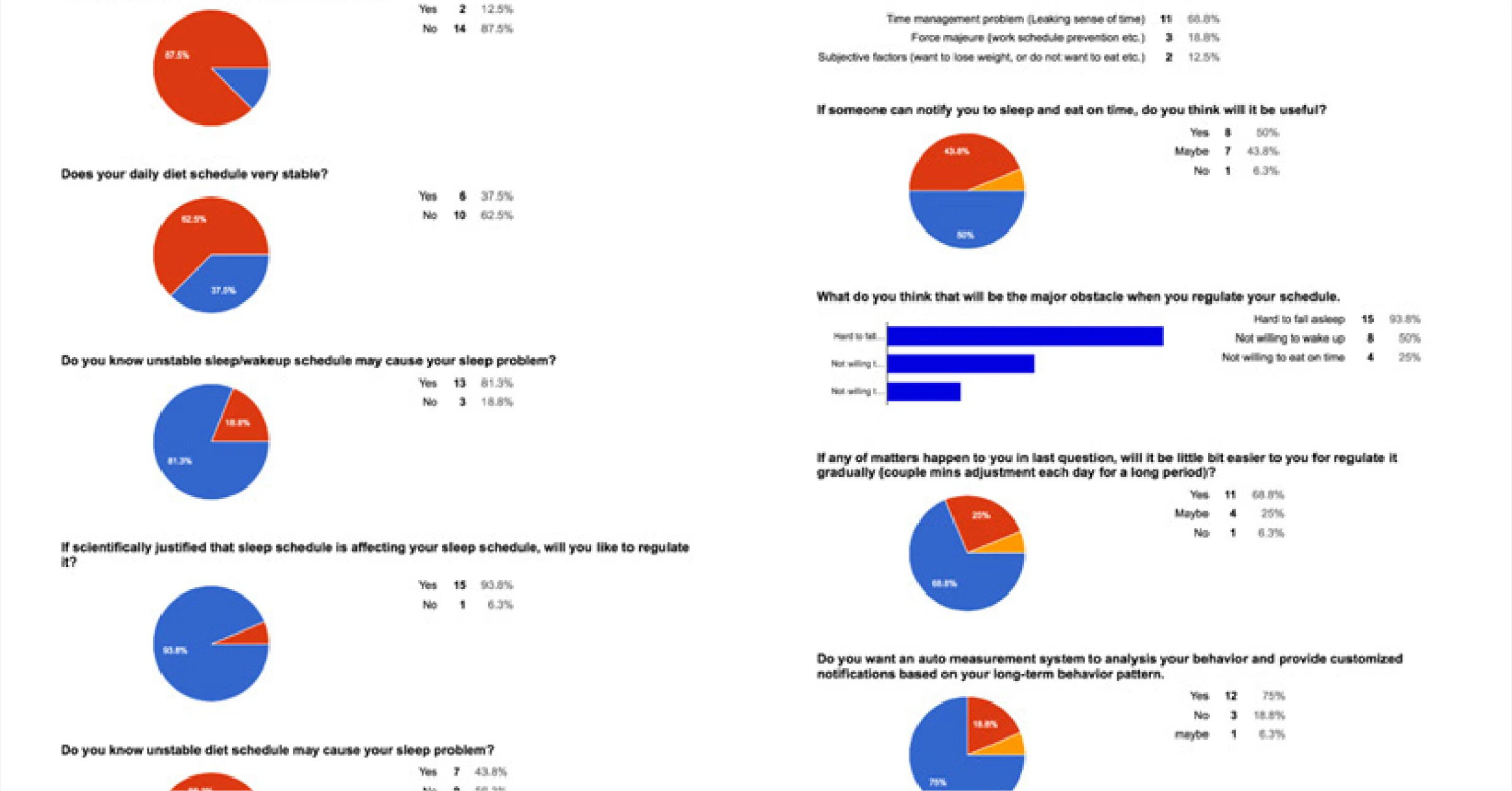
Survey report
Research
Jet Lag and Shift Work Problems
Circadian rhythm disorders come from a mismatch between the body's internal clock and the external environment; jet lag and shift work are the two most common causes. The ICD-10-CM (2014) lists six subtypes:
- **Delayed sleep phase** — natural cycle runs several hours late (late to bed, late to rise).
- **Free-running** — cycle isn't synced to 24 hours at all, and drifts over time.
- **Advanced sleep phase** — cycle runs several hours early.
- **Irregular sleep-wake** — no consistent pattern day to day.
- **Shift work type** — disrupted by working variable hours.
- **Jet lag type** — disrupted by crossing time zones.
Understanding Circadian Rhythms
Circadian rhythms are roughly 24-hour internal cycles governing sleep, alertness, and other physiological processes, commonly called the "body clock." They're internally generated but shift in response to external cues.
**Strategies for Optimizing Your Circadian Rhythm**
Sleep and light exposure are the primary levers most guidance focuses on, but eating schedule turns out to matter nearly as much as sleep timing for keeping the rhythm balanced.
**The Science of Chronotherapy**
Chronotherapy deliberately shifts sleep timing to treat a specific disorder. It requires strict adherence from patient and caregiver, often over several weeks, and a consistent schedule afterward to hold the new pattern.
Uncovering User's Painpoints
Insights from business travelers at SFO and shift workers researched online surfaced the same few issues repeatedly:
- Few people understand how circadian rhythms actually work.
- Restrictive travel or shift schedules are disliked but often unavoidable.
- Getting back to peak performance after travel or a shift change is hard.
- Building an effective schedule, or just calculating time differences, is a common stumbling block.
Design Goals
Help time-zone travelers and night-shift workers manage circadian disruption while maintaining performance during the trip or shift. Since sleep and eating patterns are both manageable levers, the app's job is to help people adjust those deliberately and progressively rather than all at once.
Feature Overview
Tailoring Circadian Rhythms Through User-Centric Design
The app lets users proactively plan their schedule and biological clock, ideally starting before they even arrive at their destination time zone.
Four Core Use Cases
**Use Case 1: Onboarding and Initial Schedule Configuration** — first launch, then configure the default daily routine.
**Use Case 2a: Lock-Screen Notification Interaction** — time-sensitive notifications with swipe gestures revealing actionable options and event detail.
**Use Case 2b: Off-Schedule or Missed Activities** — a notification flags the miss and routes the user to adjust or reschedule.
**Use Case 3: Proactive Jet Lag Management** — input an upcoming time-zone-crossing trip and the app auto-adjusts the daily routine in the days leading up to it.
Architecting User Journeys
From those use cases I built a site map for the app, grouping features and mapping how each category relates to the others.
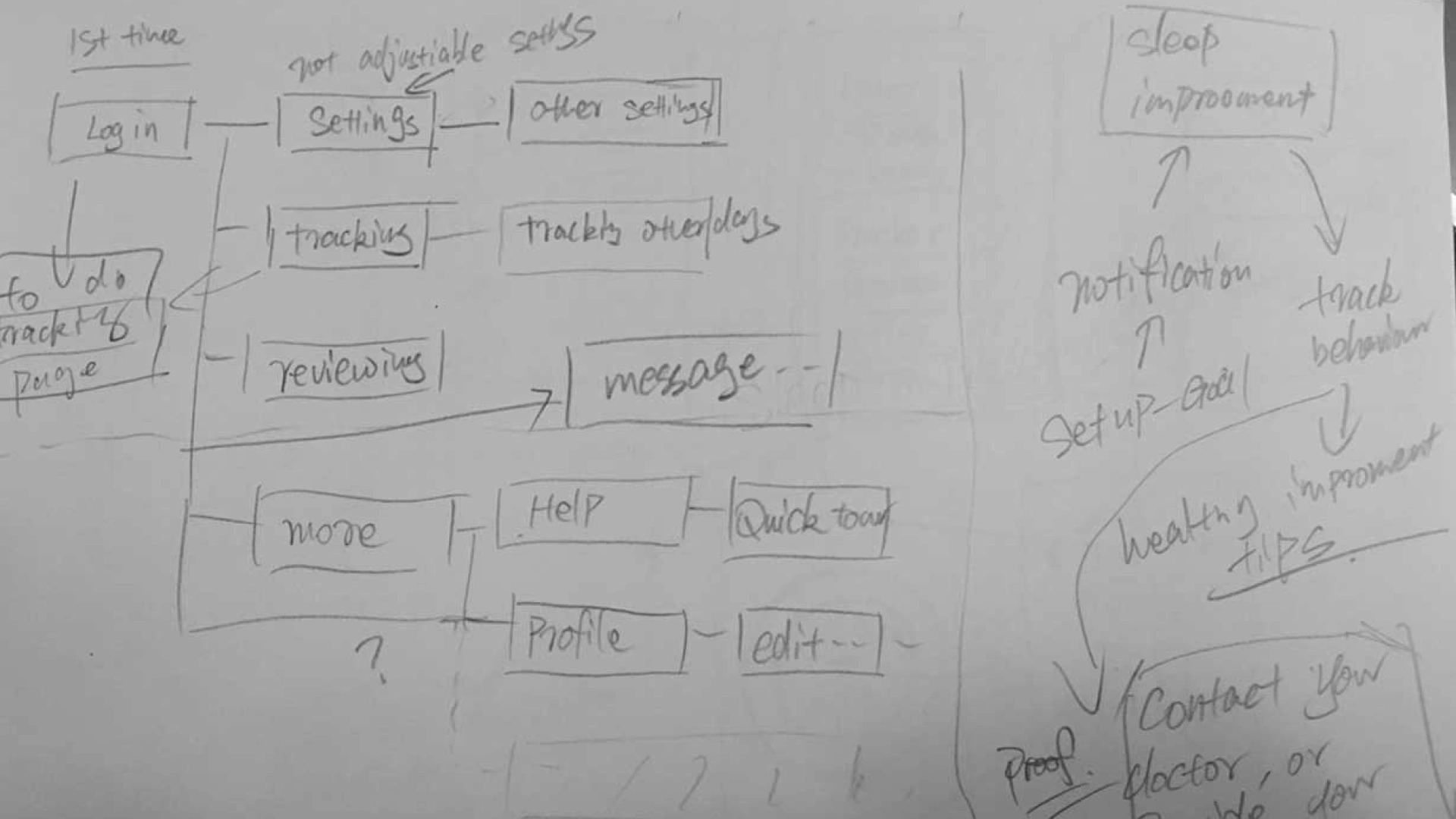
Structure sketch
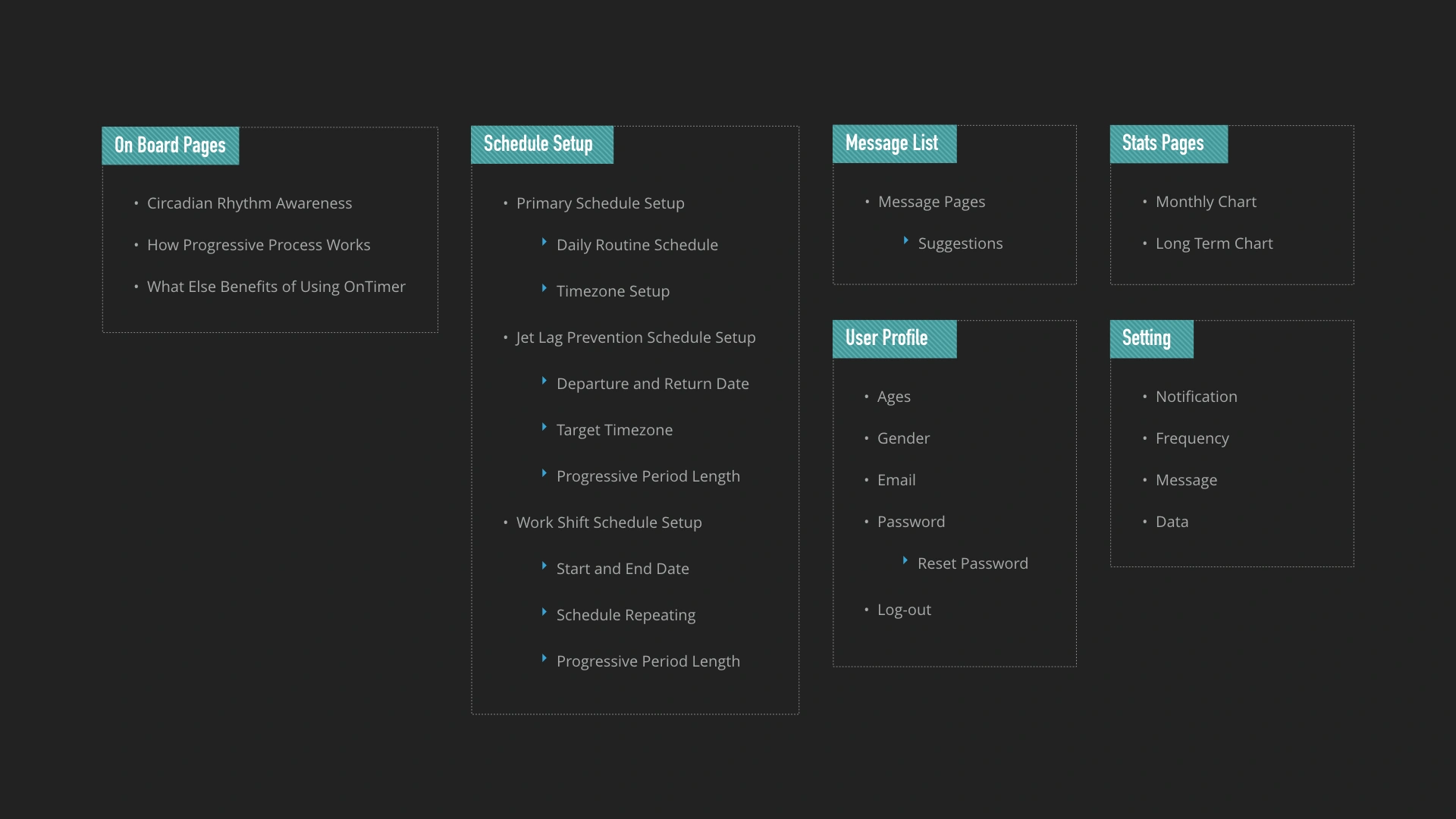
Refined Structure
Wireframing
Early Wireframe Sketches
I sketched extensively, from rough outlines to more detailed wireframes, walking through the flow myself as a business traveler each time to check it against real use.
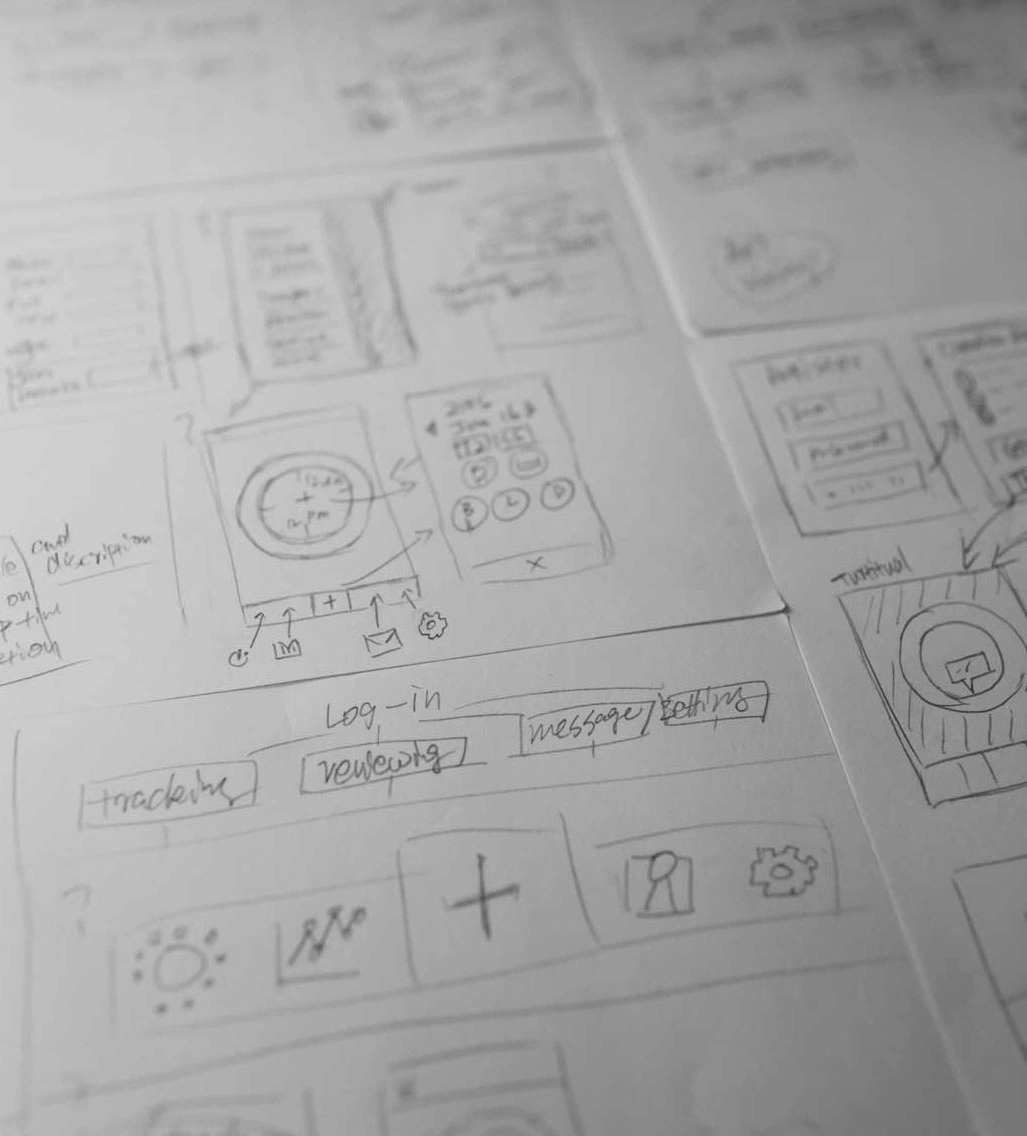
Wireframe sketchs
Low-Fi Wireframes and User Testing
Moving the sketches into digital wireframes let me get more specific feedback on layout and interaction, not just the concept.
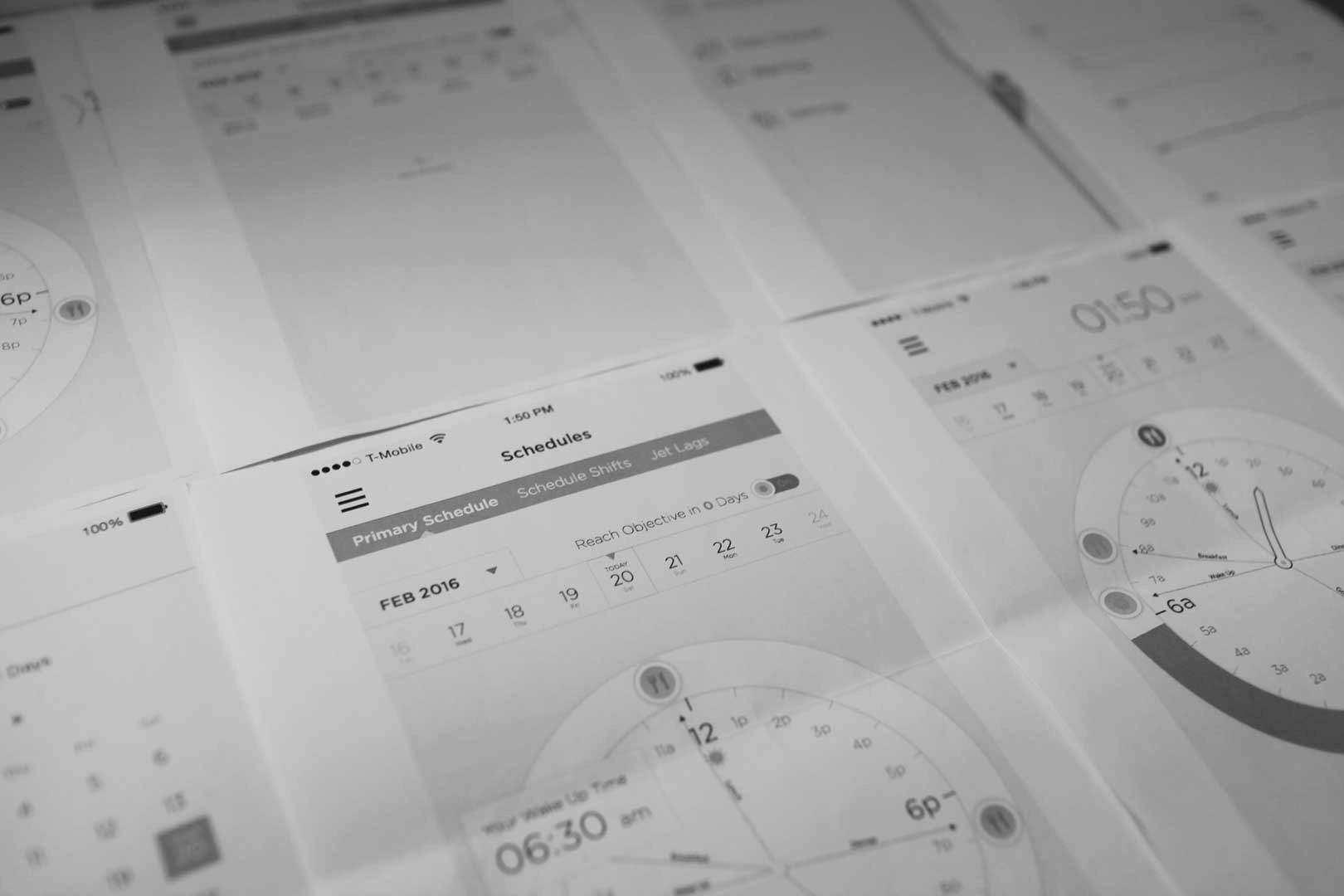
Low-fidelity Wireframe sketchs
Standard prototyping tools like InVision couldn't handle the interactions this app actually needed, drag-and-drop, panning, context-specific information, so I ran user testing with paper prototypes instead, across multiple rounds.
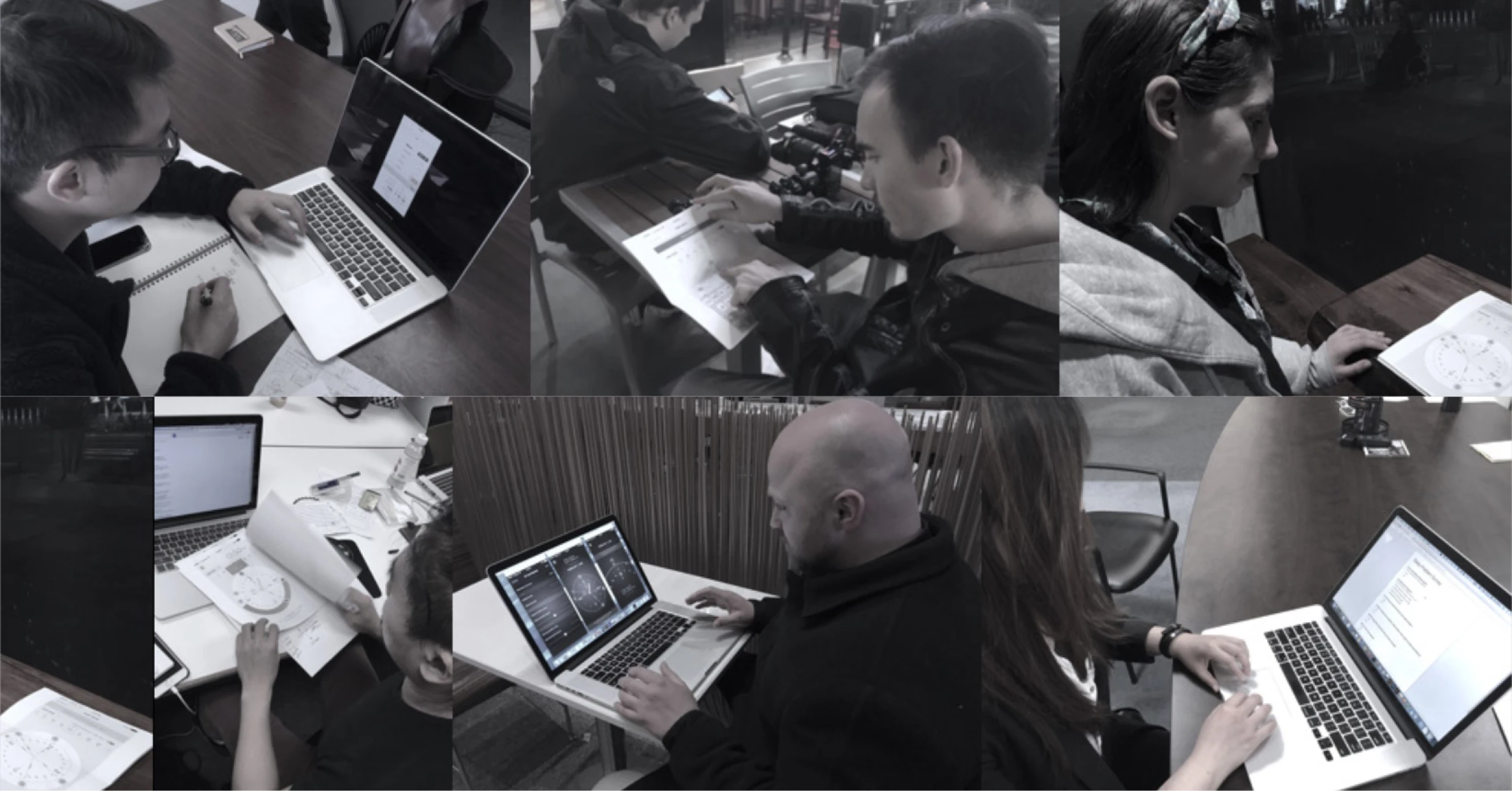
Usability Test
Iteration and User Test Feedback
Repeated testing surfaced consistent feedback:
- Onboarding needs to state the app's core function explicitly.
- Schedule setup should be linear, with fewer options, not more.
- Fixed reference events help users understand the app's overall concept.
- Graphical cues guide interaction better than text.
- Event tracking needs a tangible benefit or engagement drops.
- Users want visible progress, not just a static schedule.
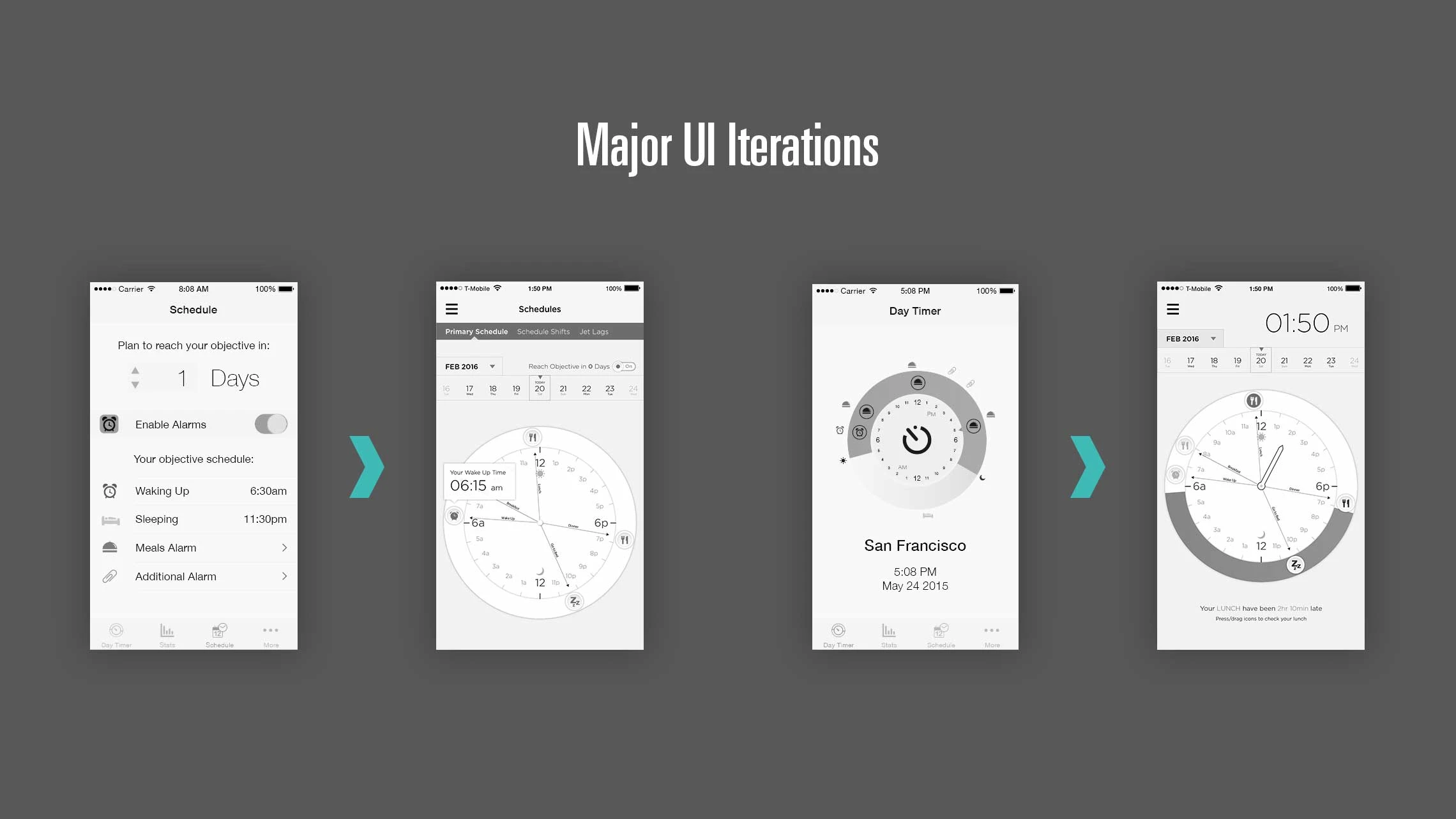
Some iterations
Final Approach
Logo and Styling Guide
A significant part of this project was visual design: color, iconography, typography, and UI components, all evaluated against both user needs and the target audience.
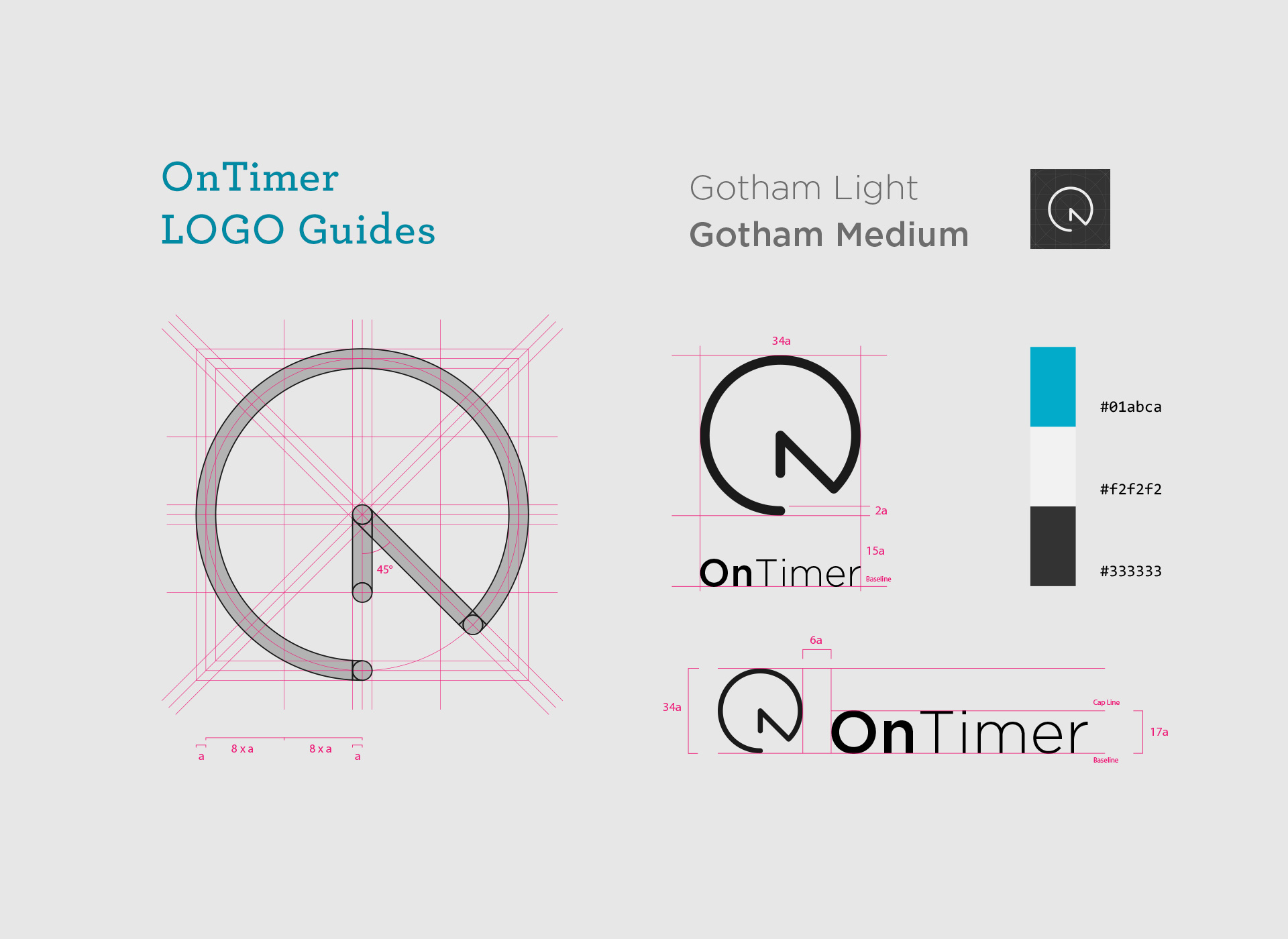
Logo and Visual Styling Guide
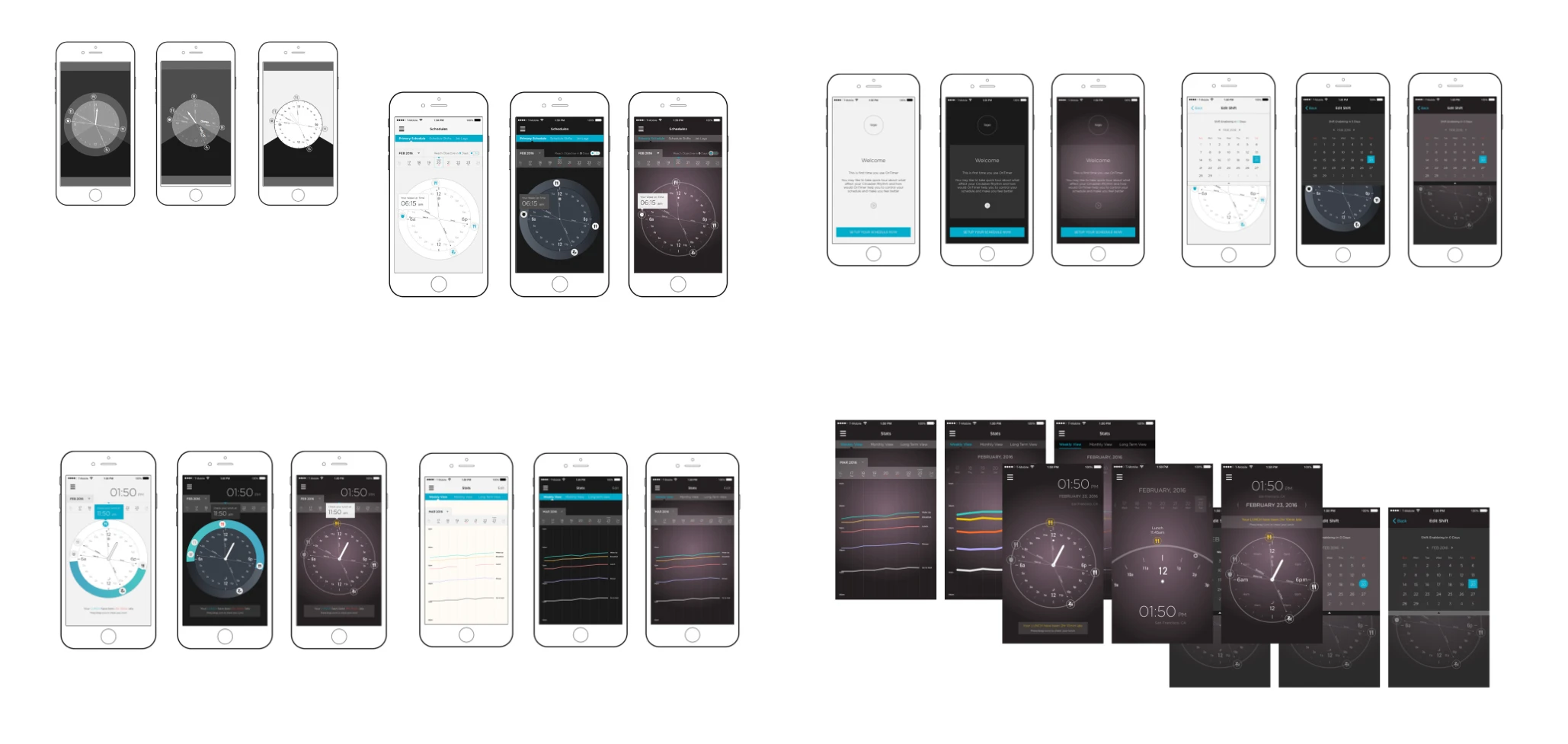
Visual Style Development and Evolving
Hi-Fidelity Screens & Interactions
**Schedule Setup**
The first priority is stabilizing the user's daily routine, so the first interaction gathers their primary schedule while doubling as an introduction to the app's core interaction model.
Timezone Setup
Adjust Schedule
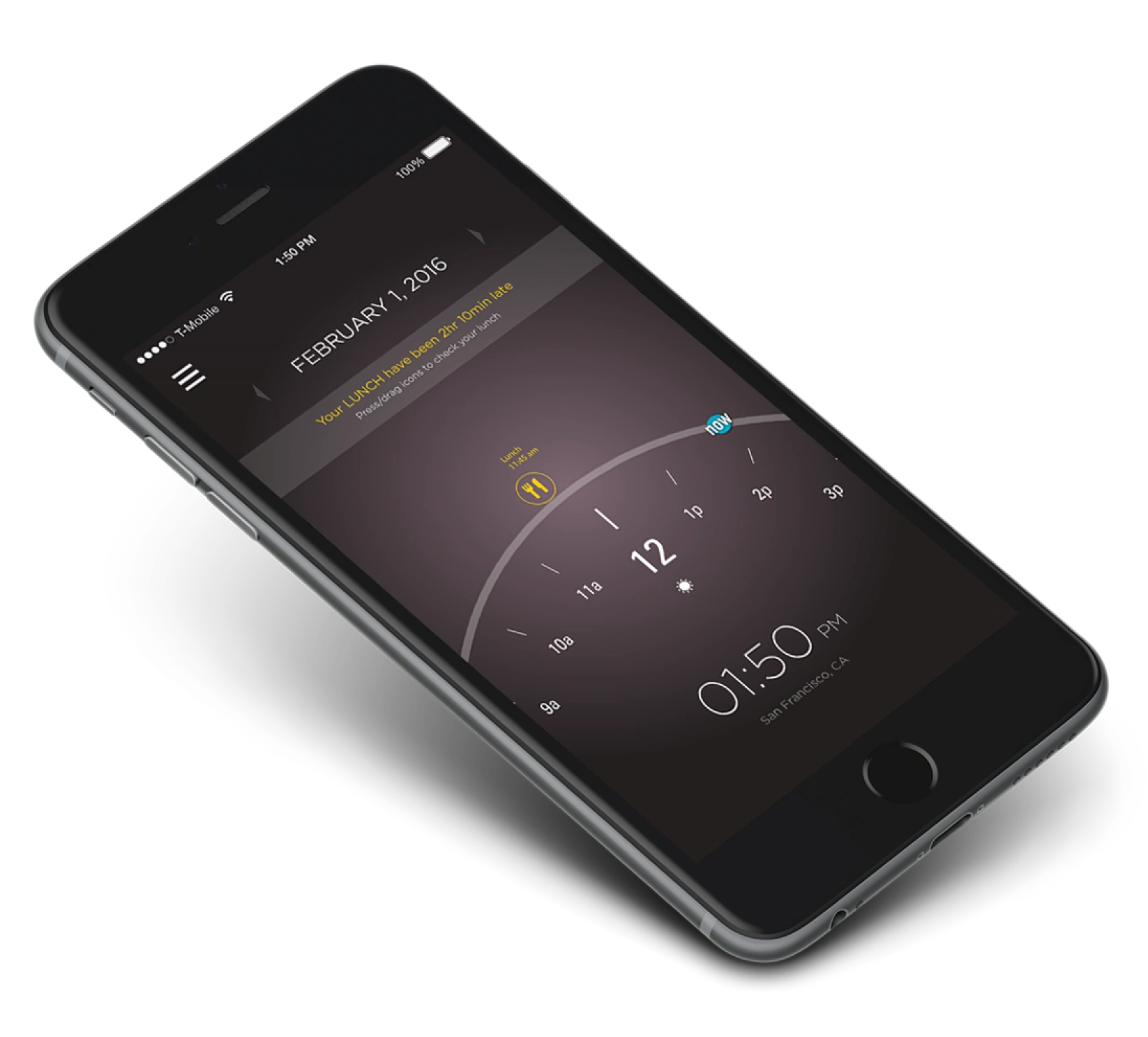
For the target demographic of business travelers, the visual design uses a gradient background styled like a luxury wristwatch face, aiming for something that reads premium and familiar rather than clinical.
A 24-hour clock represents the day's activities, with draggable preset icons around the dial, so the interaction model is visible rather than hidden behind menus.
**Track Events**
The app sends timely notifications for upcoming schedule items; users can check in from the notification or inside the app if they miss it. The tracking screen intentionally mirrors the settings screen, so familiarity with one carries over to the other.
Receive notifications
Checkin indivisual events
View schedule
A more detailed view is available via finger-spread or double-tap to zoom in, and pinch or double-tap again to zoom out.
**Jet-Lag Setup**
The Jet-Lag Prevention feature runs a buffer period of several days before or during a time-zone transition, gradually adjusting the user's schedule based on tracked behavior rather than shifting it all at once.
Setup Date
Setup Period
The interface stays low-cognitive-load on purpose: a calendar picker for date selection, and a two-way slider with directional arrows that doubles as a visual cue for what the feature actually does.
Concept Video
Reflections & Learnings
The clearest lesson from this project: understanding user needs at the outset shapes every decision after it, and that only becomes visible once you're deep into prototyping, where seemingly simple interactions turn out to be genuinely complex.
Standard prototyping tools weren't built for the kind of interaction this app needed, which pushed me toward more flexible tools and a more iterative process, with frequent checkpoints to reassess rather than one long build phase.
Small details, a color gradient, an icon's exact placement, made a measurable difference in the final high-fidelity screens. Visual polish here wasn't decoration; it was part of how the interaction actually worked.